
How to search a website – Simple guide & tips
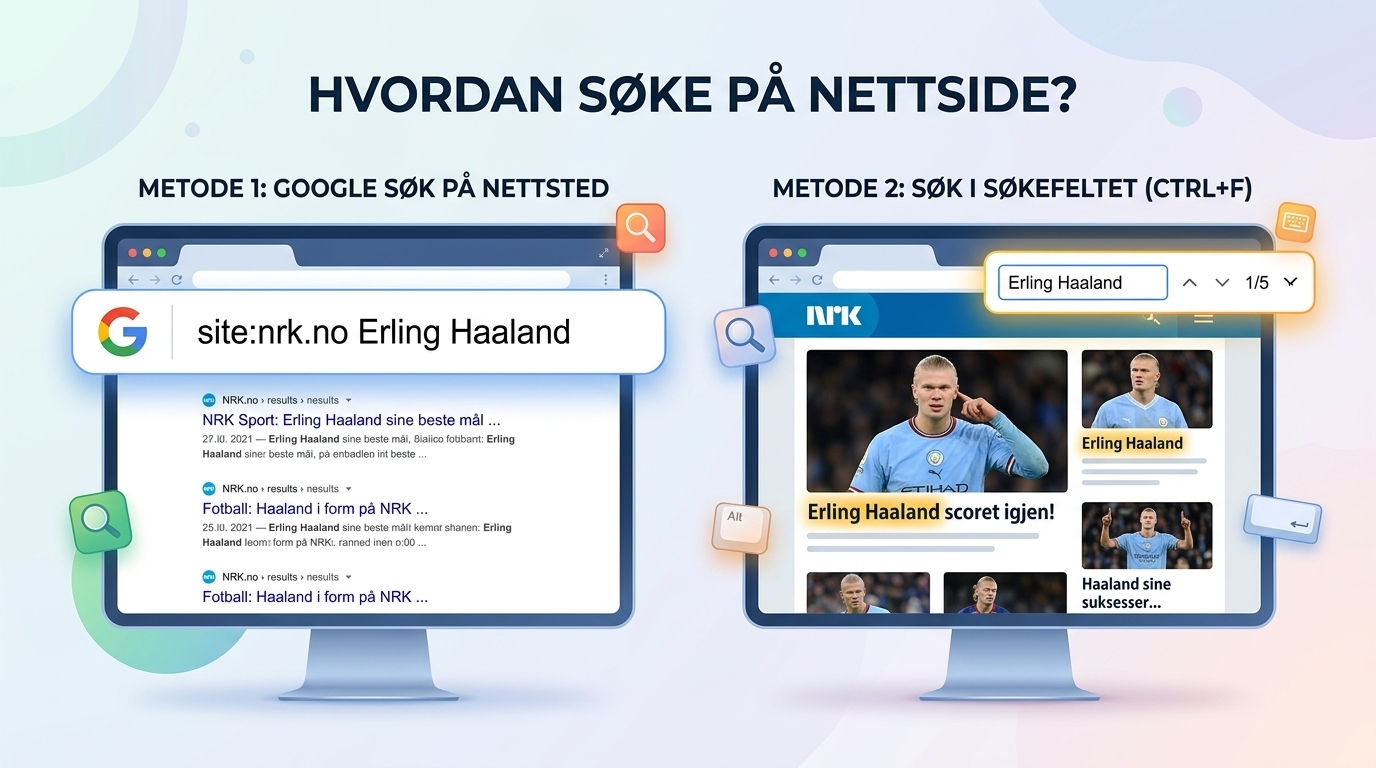
Use Google search to search internally the website
Go to Google and type website: followed by the domain name and the word you are searching for, e.g. site:hjemmesiden.no prices
Search directly on the page you are on (Hotkey)
-
On computer: Pressure
Ctrl+ForCmd(⌘)+F -
On mobile/tablet:
-
Safari (iPhone): Tap the share icon at the bottom and select «"Search the page"».
-
Chrome (Android/iPhone): Tap the three dots in the top right and select «"Search the page"».
-

Does your company's website lack a well-functioning search field?
For regular users, website:-search and Ctrl+F smart emergency solutions. But what a business it is It is critical to have a clear and fast internal search field on the website..
If visitors don't find what they're looking for within a few seconds, they'll leave the site and move on to a competitor.
Three reasons why a good search field increases sales:
- Better user experience (UX): Potential customers find products, services and contact information instantly.
- Lower Bounce Rate: Visitors stay on the site longer when they can easily navigate around.
- Valuable customer insights: By analyzing what people are searching for in your search box, you learn exactly what your customers need.
We help you set up a smart search bar
At Hjemmesiden.no we help small and large businesses create fast, user-friendly and modern websites. We can help you with:
-
Internal search field integration: Search field customized for WordPress, Divi or other platforms.
-
Smart search / Auto-complete: Show search results and product suggestions in real time as the customer types.
-
Universal Design & Mobile Adaptation: A search field that works just as seamlessly on mobile as it does on desktop.
Do you need a search bar or website redesign?
Do you want to make it easier for your customers to find their way around? We'll set up a fast and universally designed search bar on your existing website – or help you with a complete redesign. We have 100% satisfaction guarantee and best price guarantee.